HappyOnline
Cloudflare
Πώς να μας δώσετε πρόσβαση στο Cloudflare How to give us access to your Cloudflare
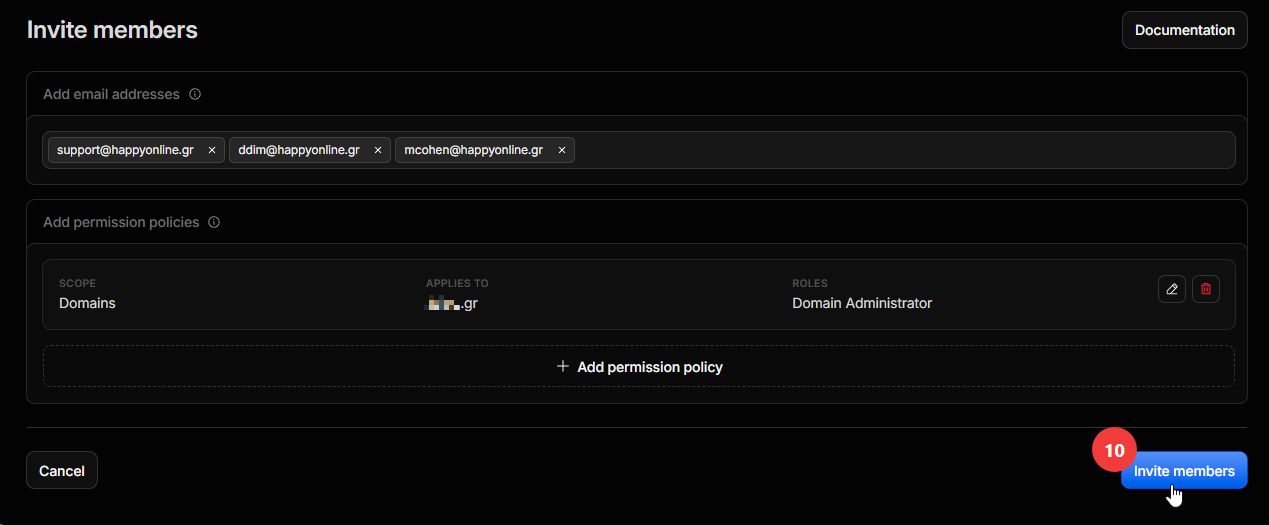
Χρειαζόμαστε πρόσβαση ως διαχειριστές στον λογαριασμό σας στο Cloudflare για το domain σας. Η πρόσκληση γίνεται από εσάς και παίρνει περίπου ένα λεπτό. Ακολουθήστε τα βήματα, οι αριθμοί αντιστοιχούν στους κόκκινους δείκτες των εικόνων. We need administrator access to your Cloudflare account for your domain. You send the invite from your side and it takes about a minute. Follow the steps below; the numbers match the red markers on the images.
Τι θα χρειαστούμε What we need
support@happyonline.grddim@happyonline.grmcohen@happyonline.gr
Επικολλήστε τις και τις τρεις μαζί στο πεδίο Add email addresses. Paste all three at once into the Add email addresses field.
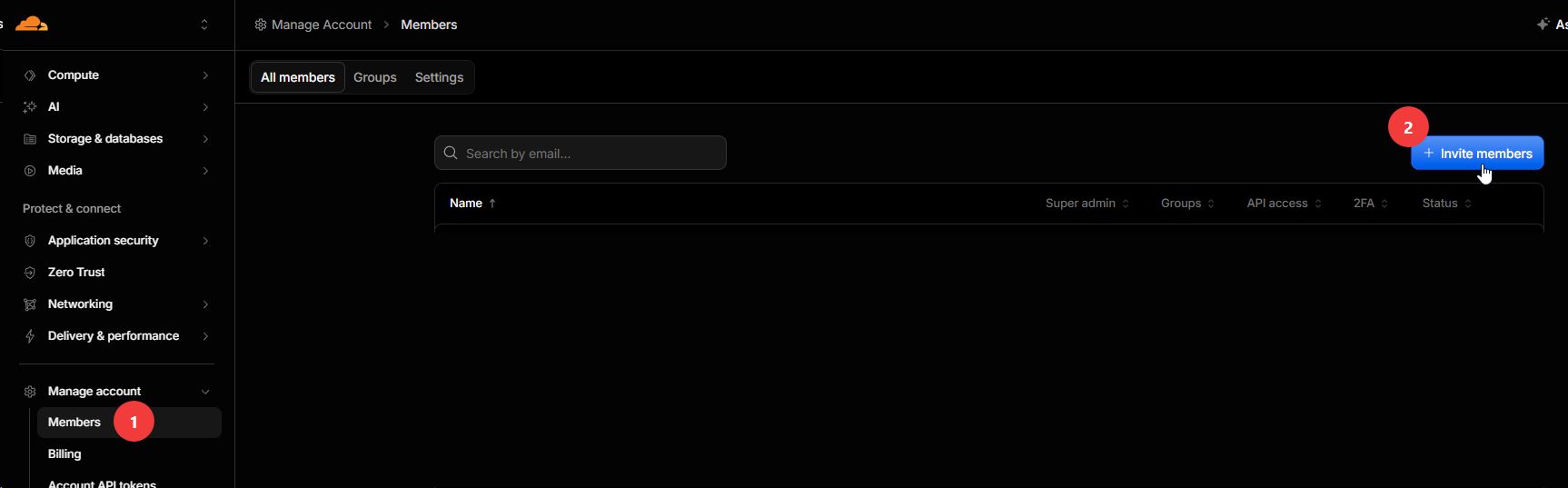
- 1Συνδεθείτε στο Cloudflare. Από το μενού αριστερά επιλέξτε Manage Account και έπειτα Members. Sign in to Cloudflare. In the left menu open Manage Account, then Members.
- 2Πάνω δεξιά πατήστε Invite members. Top right, click Invite members.
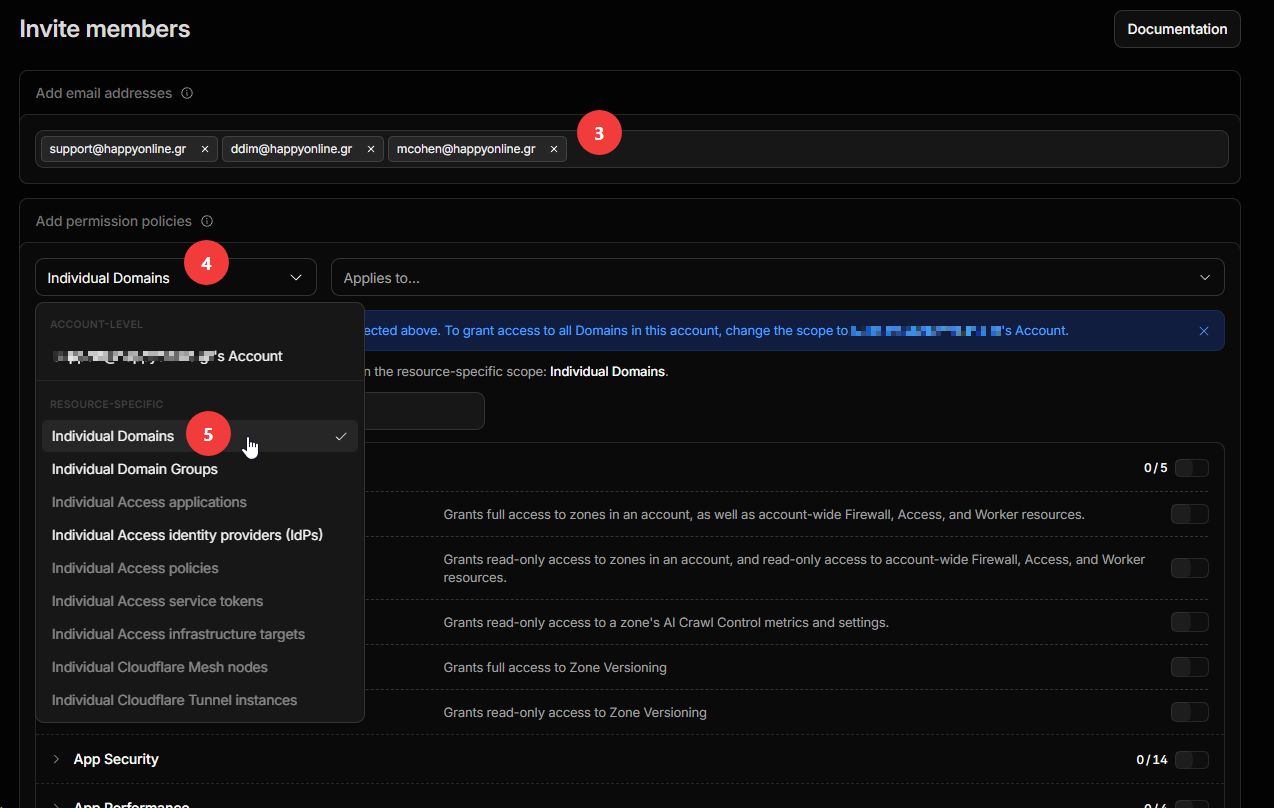
- 3Στο Add email addresses προσθέστε τις τρεις διευθύνσεις παραπάνω. Under Add email addresses, add the three addresses above.
- 4Στο Add permission policies ανοίξτε την πρώτη λίστα, αριστερά. Under Add permission policies, open the first dropdown on the left.
- 5Επιλέξτε Individual Domains (κατηγορία Resource-specific). Choose Individual Domains (the Resource-specific section).
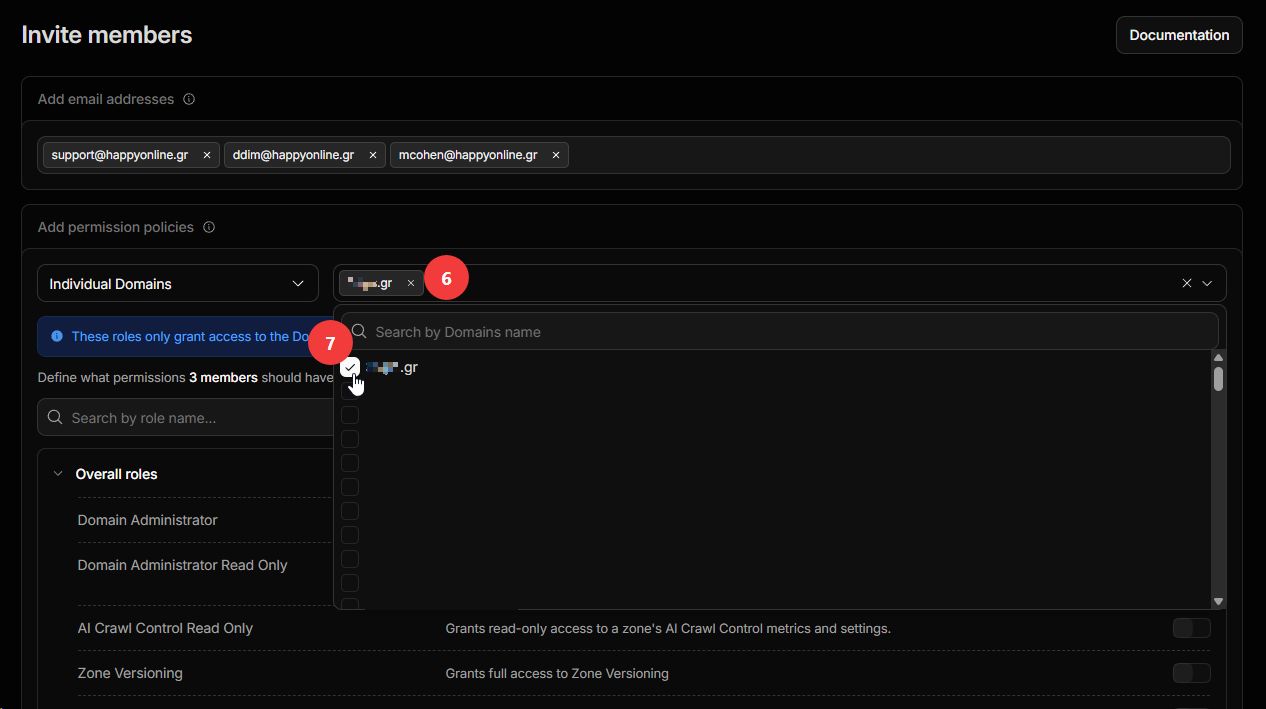
- 6Στο πεδίο Applies to... επιλέξτε το domain σας. In the Applies to... field, pick your domain.
- 7Τικάρετε το domain στη λίστα. Tick the domain in the list.
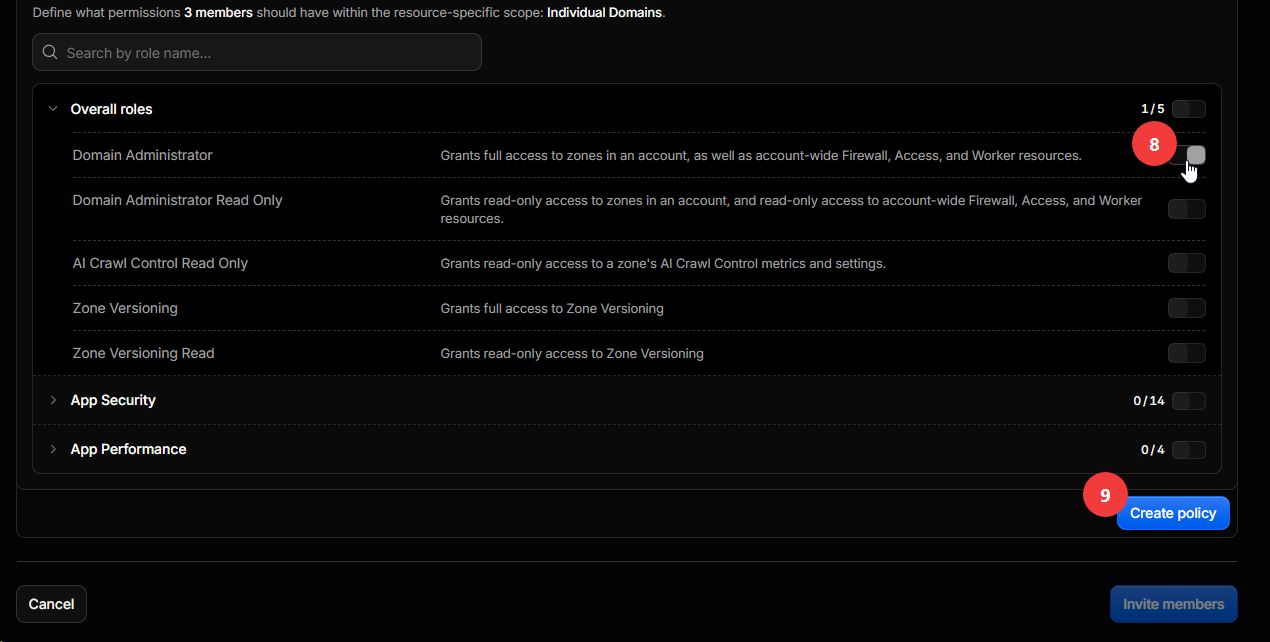
- 8Ενεργοποιήστε τον ρόλο Domain Administrator. Turn on the Domain Administrator role.
- 9Πατήστε Create policy. Click Create policy.
- 10Ελέγξτε τη σύνοψη και πατήστε Invite members. Review the summary and click Invite members.
Θέλετε να μας δώσετε πρόσβαση σε όλα τα domains; Στο βήμα 5 επιλέξτε τον λογαριασμό σας (account-level) αντί για Individual Domains. Τότε δεν χρειάζονται τα βήματα 6 και 7.
Want to give access to all your domains? At step 5 pick your account (account-level) instead of Individual Domains. Then steps 6 and 7 are not needed.
Μόλις ολοκληρώσετε, λαμβάνουμε αυτόματα την πρόσκληση από το Cloudflare, την αποδεχόμαστε και σας ενημερώνουμε ότι αποκτήσαμε πρόσβαση.
Once you finish, we automatically receive the invitation from Cloudflare, accept it, and let you know we have access.